Release Note
[2026/10/12] Release Notes: New ScalePad LMX Integration, NextTicket for Halo Filters, Non-Recurring Agreement Support
October 12, 2026


This post covers Release 2.70 (Sep 7). The Release 2.71 (Sep 21) updates were covered in our September 28 release notes.
PRODUCT
[Enhancement] Include or exclude several values at once in NextTicket for Halo ticket filters
Build a ticket filter once, instead of re-editing it every time a status or a site is added in Halo.
What's new: Seven fields in the NextTicket for Halo Ticket Filter gain operators. Top Level now supports in and not in alongside =. Team, Agent, Status, Request Type, Sla and Priority now support not in alongside = and in. Choosing in or not in gives you a multi-select list, so a single condition can name several values. Every filter you already have keeps behaving exactly as it did before.
Why it helps: Until now you could match only one value on Top Level, and you could not exclude values at all — so each time a new status was added in Halo, or a new site was onboarded, your filters had to be edited again. With not in you can write the rule once as "everything except these", and it keeps working as your Halo configuration grows.
How to use it: Go to your NextTicket settings, open a Ticket Filter, and pick one of the seven fields in a condition row. The operator dropdown now offers =, in and not in; selecting in or not in turns the value box into a multi-select. At least one value must be selected — saving an empty list is blocked. Adjusting NextTicket settings requires the Admin role, as before.
Applies to: NextTicket for HaloPSA, all tenants. No setup and no migration on your side. Other PSA integrations are not affected.
Learn more: Next Ticket settings
ASSET
[New Integration] ScalePad LMX — Monitor Your Entire vCIO Roadmap from One Place
Cross-client initiative tracking, goal health, and QBR readiness — all in MSPbots from day one.
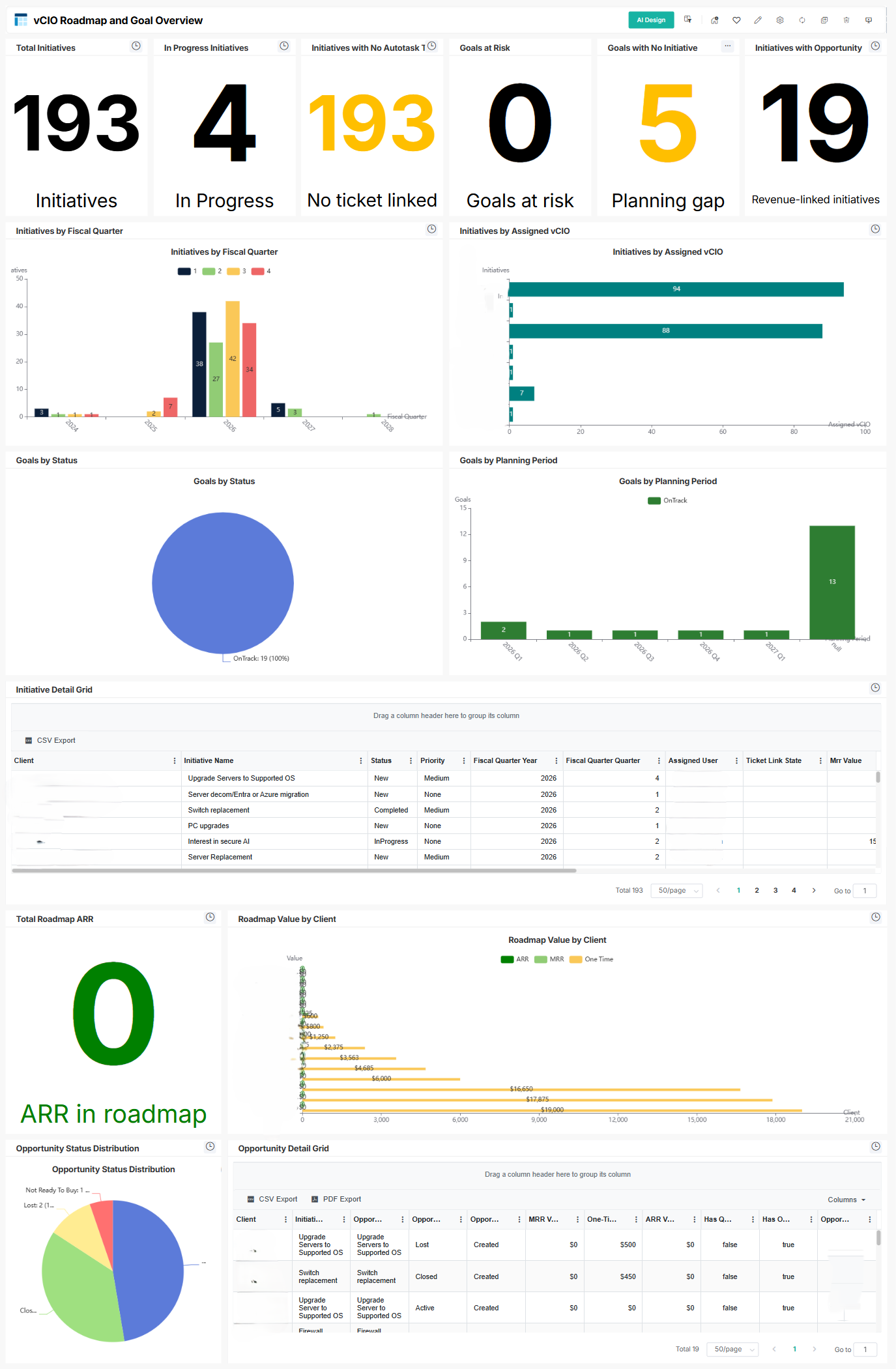
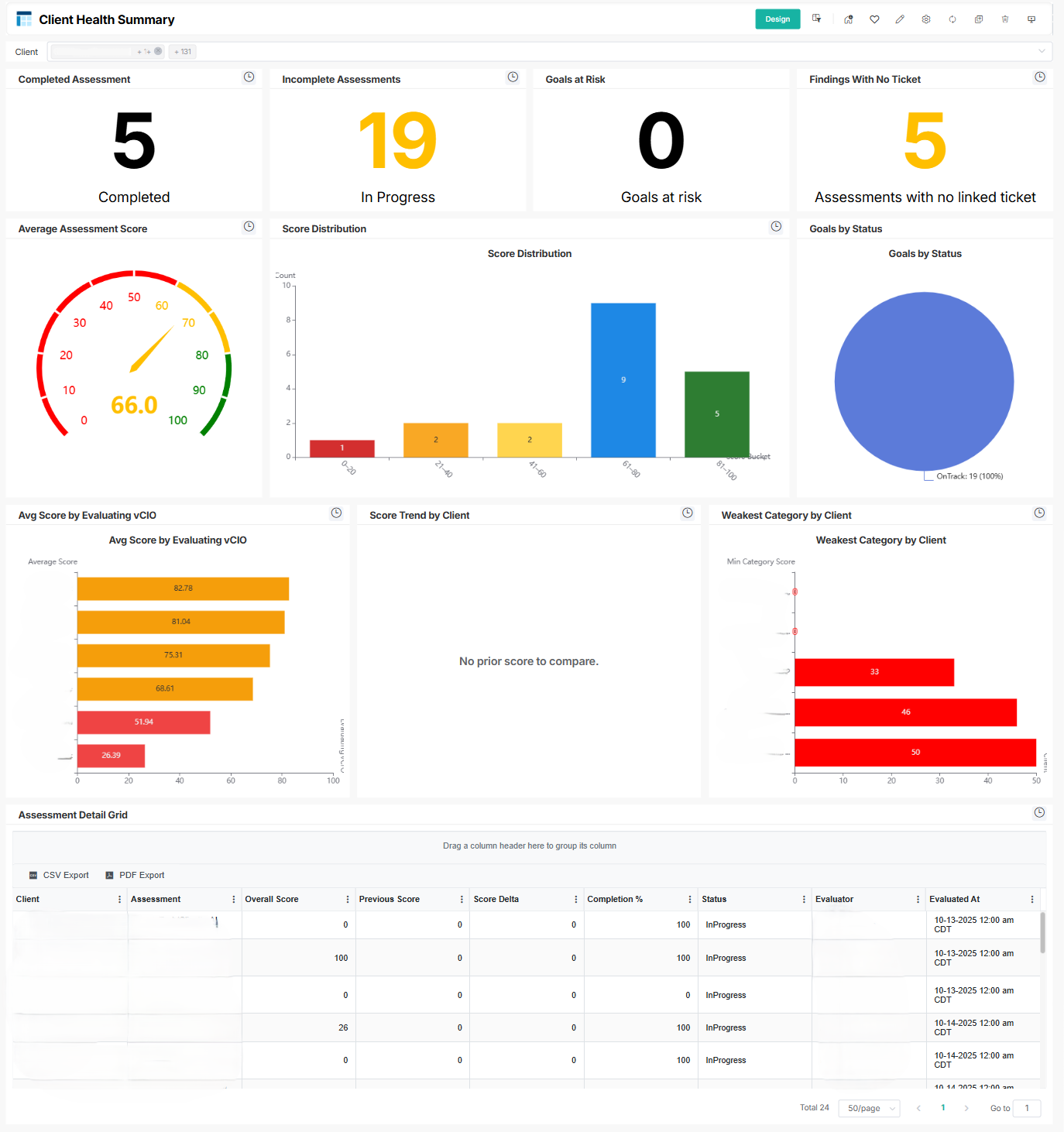
What's new: MSPbots now includes two pre-built template dashboards and 24 widgets for the ScalePad LMX integration. Covering cross-client roadmap management and QBR client health preparation, your vCIO team can start monitoring immediately after connecting ScalePad LMX — no dashboard building required.
Why it helps: Before this release, getting a cross-client view of your ScalePad roadmap meant logging into ScalePad per client. These dashboards surface your entire book of business in MSPbots — initiatives, goals, assessment scores, and revenue opportunities — in one place, so your team spends less time looking up data and more time acting on it.
How to use it: On by default, no setup needed. If you have the ScalePad LMX integration installed, open the Dashboard Library and look for the following templates under Template Assets.
Dashboards:
Executive rollup of your entire client roadmap. Use it to track total initiatives under management, clients with at-risk goals, initiatives with no Autotask ticket backing, roadmap delivery load by vCIO, and the full revenue picture of roadmap-linked opportunities — across all clients in a single view.
Pre-QBR preparation dashboard for account managers and vCIOs. Use it to see average assessment scores, clients with incomplete assessments, score distribution across the fleet, score trends per client, and which clients have findings with no linked ticket — so every QBR starts fully prepared.
Applies to: Clients with ScalePad LMX integration
Integration: ScalePad LMX Setup Guide
[Enhancement] Agreement Profitability App — Non-Recurring Agreement Support Added
Your Agreement Profitability data now includes non-recurring agreements when you choose to include them.
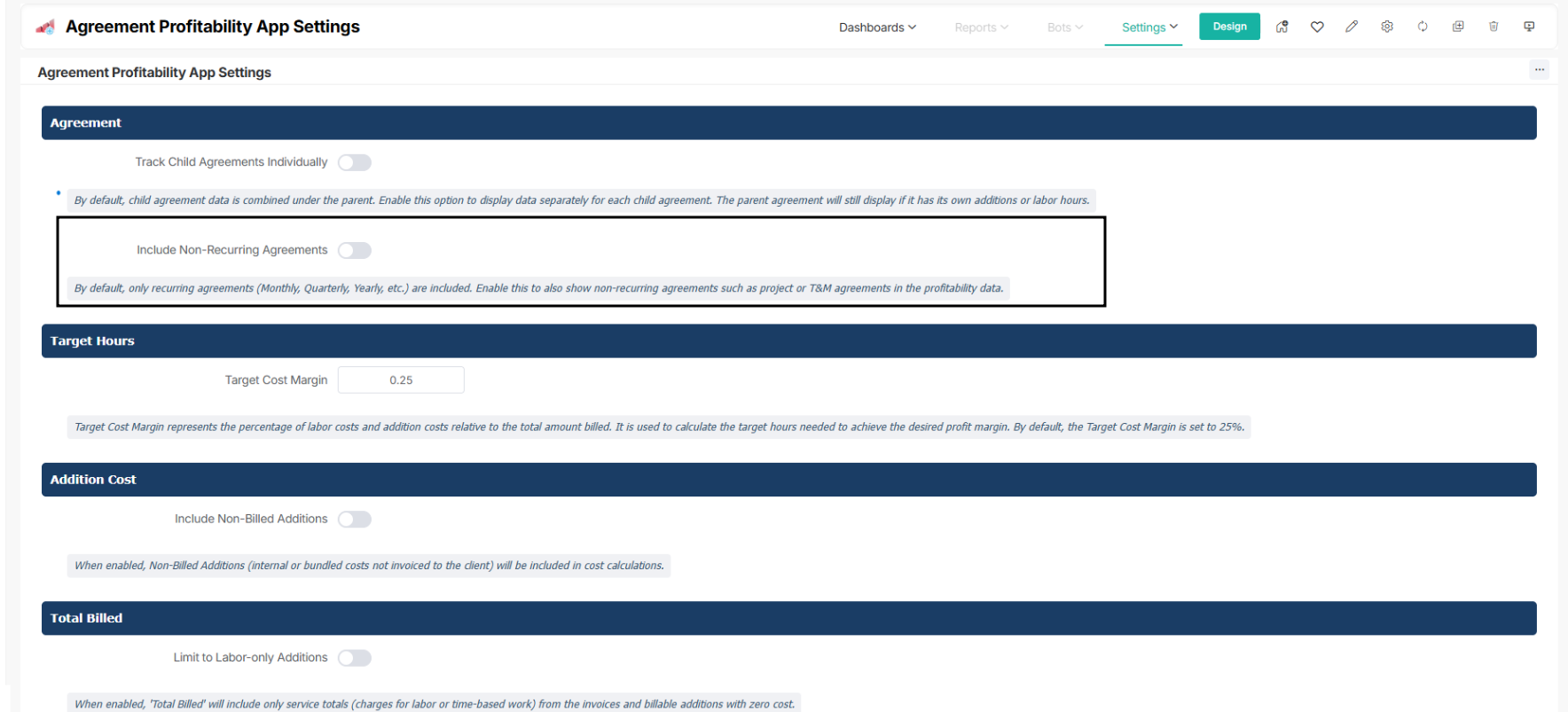
What's new: The Agreement Profitability App for ConnectWise Manage now supports non-recurring agreements. A new toggle in the app settings lets you choose whether to include non-recurring agreement revenue and time entries in your profitability calculations.
Why it helps: Previously, non-recurring agreements were excluded from the profitability view, which meant your margin data was incomplete for clients with a mix of recurring and non-recurring agreements. You now have full control over what's included.
How to use it: On by default. Open the Agreement Profitability Settings form and use the new Include Non-Recurring Agreements toggle to control what's included in your profitability view. No other setup is needed.
Applies to: Agreement Profitability App — ConnectWise Manage integration
Integration: Agreement Profitability App Guide
October 12, 2026